

Subscription plans
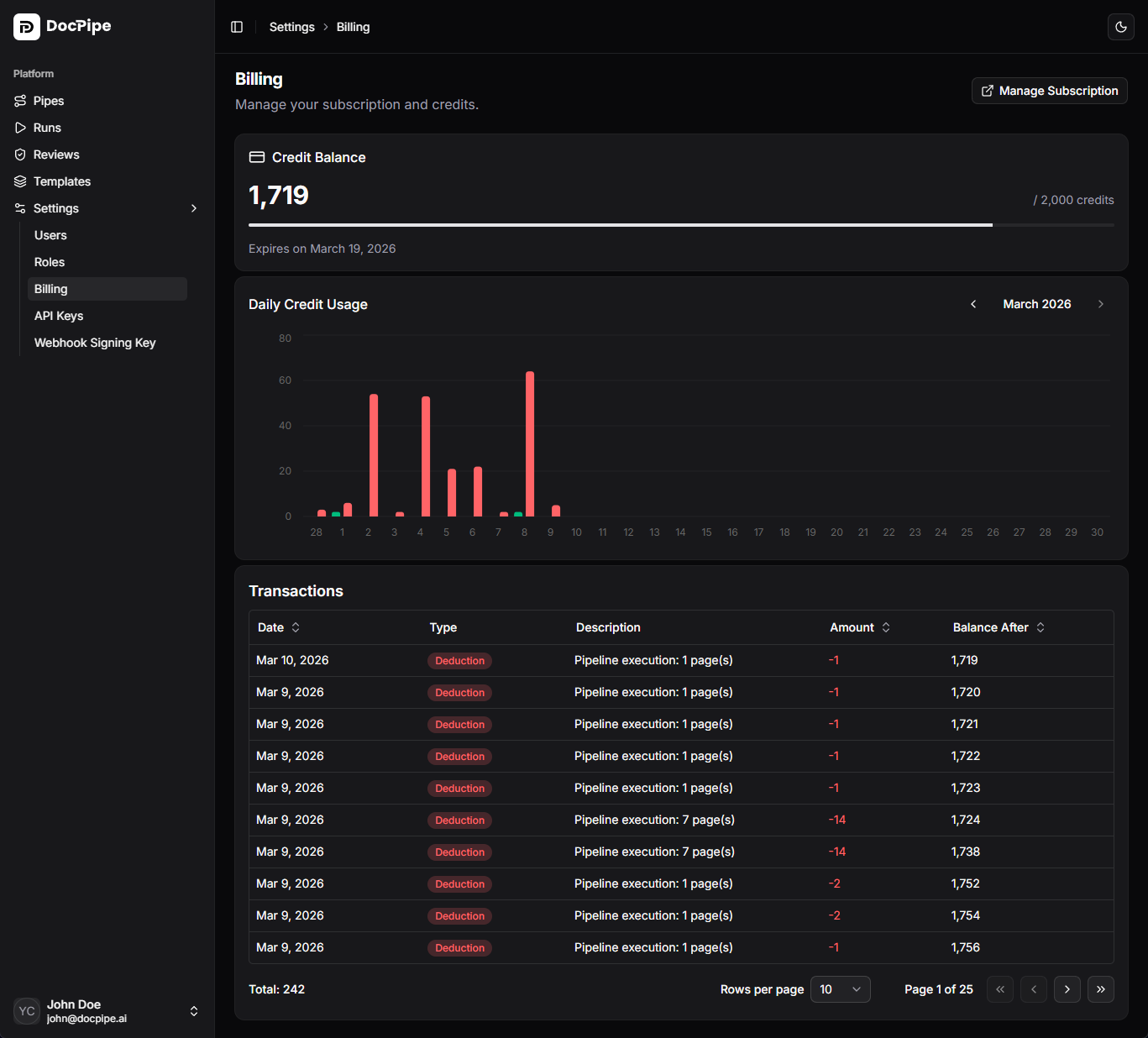
Your subscription determines your monthly credit allocation and available features. View your current plan and status on the billing page.Subscription statuses
| Status | Description |
|---|---|
| Active | Subscription is current and credits are available |
| Past due | Payment failed. Update your payment method to avoid service interruption |
| Cancelled | Subscription has been cancelled. Access continues until the end of the billing period |
| Trialing | Free trial period. Upgrade before it expires to continue using DocPipe |
Credit system
DocPipe uses a credit-based billing model. Each pipeline run consumes credits based on the actions performed.- Credits are allocated monthly with your subscription
- Unused credits do not roll over to the next month
- You can monitor your credit usage on the billing page
Credit usage
The billing page shows a usage chart with your daily credit consumption, helping you understand your processing patterns and plan capacity.Managing your subscription
Click Manage subscription to open the Stripe customer portal, where you can:- Upgrade or downgrade your plan
- Update your payment method
- View and download invoices
- Cancel your subscription
Transactions
The transaction table shows your credit usage history, including:- Individual run charges
- Credit allocations
- Daily usage summaries