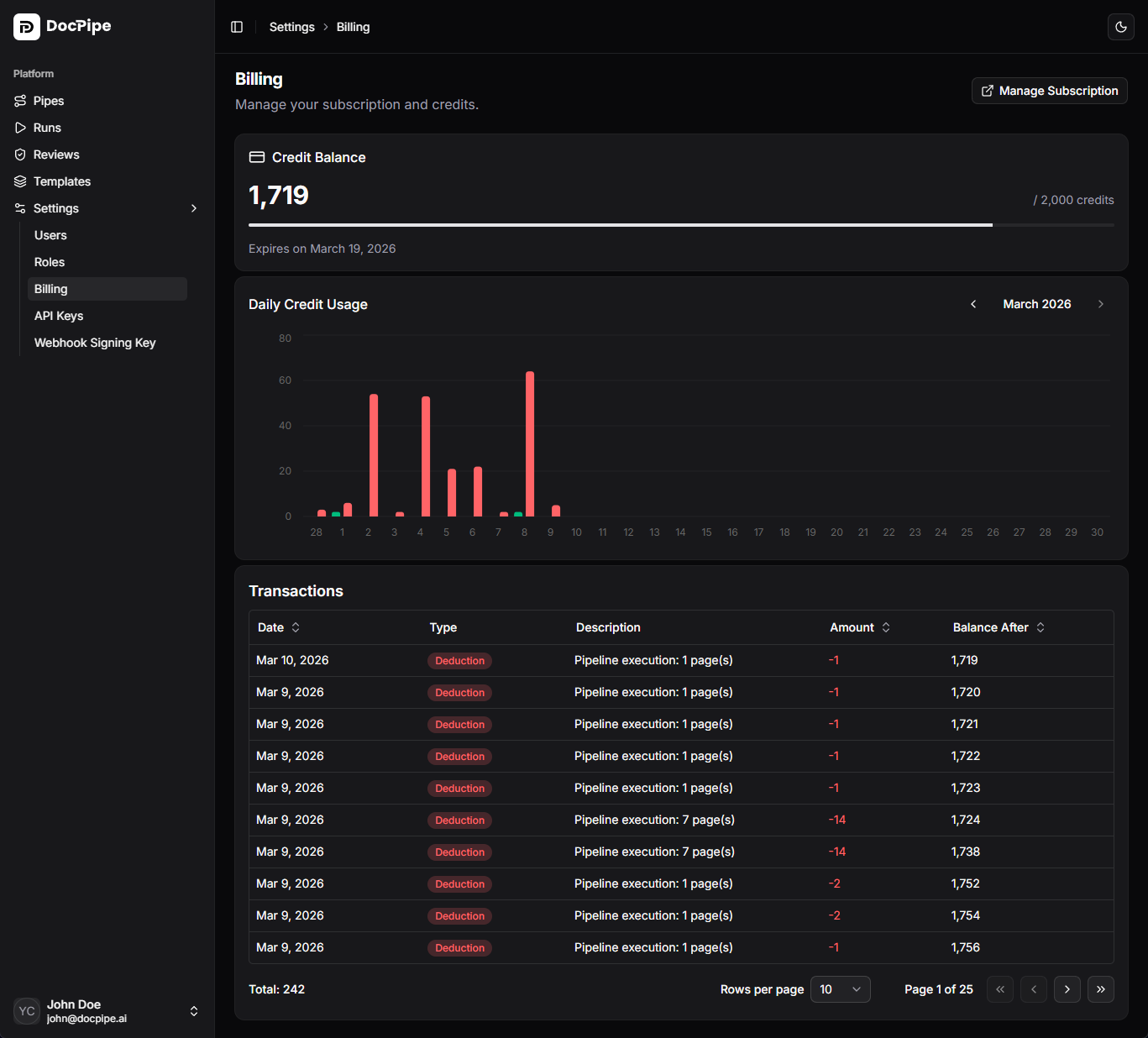
The Subscription settings page lets you view your subscription status, credit balance, and transaction history.
Subscription plans
Your subscription determines your monthly credit allocation and available features. View your current plan and status on the subscription page.
Subscription statuses
| Status | Description |
|---|
| Active | Subscription is current and credits are available |
| Past due | Payment failed. Update your payment method to avoid service interruption |
| Cancelled | Subscription has been cancelled. Access continues until the end of the billing period |
| Trialing | Free trial period. Upgrade before it expires to continue using DocPipe |
Credit system
DocPipe uses a credit-based billing model. Each pipeline run consumes credits based on the actions performed.
- Credits are allocated monthly with your subscription
- Unused credits do not roll over to the next month
- You can monitor your credit usage on the subscription page
Credit usage
The subscription page shows a usage chart with your daily credit consumption, helping you understand your processing patterns and plan capacity.
Changing your plan
Click Change plan to open the plan picker. You can upgrade or downgrade your plan directly in DocPipe.
Available plans
| Plan | Monthly price | Credits per month | Highlights |
|---|
| Free | $0 | 30 | Basic document processing |
| Basic | $75 | 500 | All document types, JSON and CSV export |
| Standard | $99 | 1,000 | Excel export, webhooks, priority support |
| Premium | $399 | 10,000 | Advanced RBAC, higher rate limits |
| Custom | Contact sales | Custom | SSO, SAML, dedicated support |
Switch to yearly billing to save the equivalent of one month per year.
Upgrading or downgrading
The plan picker shows your current plan and indicates whether a switch is an upgrade or downgrade. Select a new plan and confirm to apply the change. For the Custom plan, click Contact Sales to speak with the team.
Managing your subscription
Click Manage subscription to open the Stripe customer portal, where you can:
- Update your payment method
- View and download invoices
- Cancel your subscription
Transactions
The transaction table shows your credit usage history, including:
- Individual run charges
- Credit allocations
- Daily usage summaries
Use this to audit your usage and understand costs.